


.png)
Managing home expenses doesn't have to feel overwhelming. With the right tools and strategies, you can stay on top of your finances, avoid surprises, and make smarter decisions for your household. Here's a quick breakdown of five methods to simplify expense tracking:
- Use HouseFacts: A digital platform that organizes bills, tracks maintenance costs, and sends financial reminders.
- Create Spreadsheets: Customize categories like utilities, repairs, and taxes for a detailed view of your spending.
- Set Financial Goals: Plan for short-term maintenance and long-term projects by saving 1-4% of your home's value annually.
- Try Budgeting Apps: Link your accounts for real-time tracking and automated reminders.
- Review Spending Regularly: Monthly, quarterly, and annual reviews help spot trends and keep your budget on track.
Start small by picking one or two methods that suit your lifestyle, and build from there. These strategies can help you stay organized, reduce stress, and take control of your home expenses.
Excel Personal Finance Tracker 101 | Build & Automate Yours in Minutes
Use HouseFacts for Digital Expense Tracking
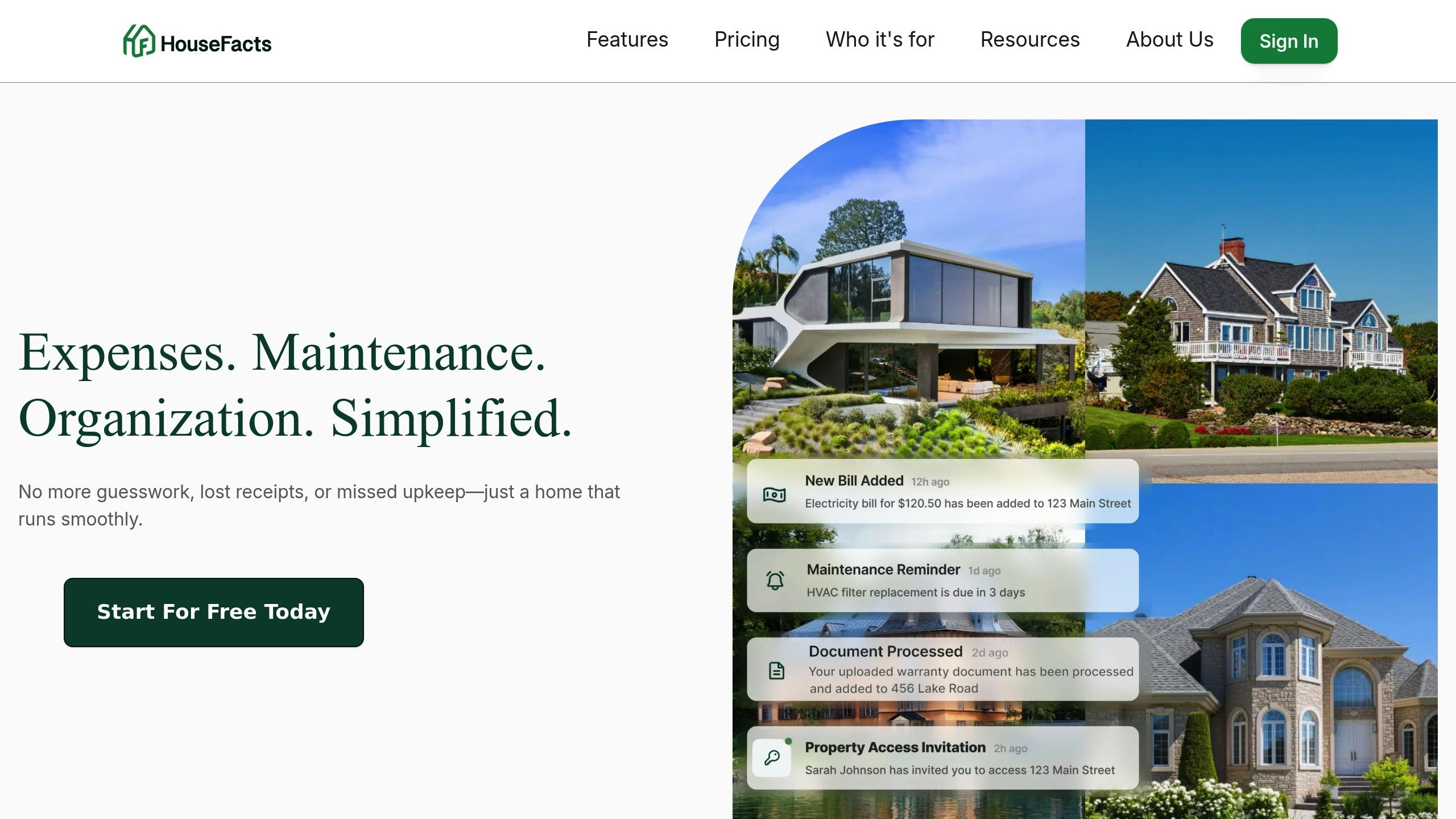
HouseFacts is your one-stop solution for managing home expenses with ease. This platform brings all your receipts, bills, and financial records for one or multiple properties into a single, organized space. Forget juggling spreadsheets or relying on memory - HouseFacts lets you upload and automatically organize all your property-related documents, saving time and giving you a clear picture of your finances.
HouseFacts Key Features
AI-Powered Receipt Organization
Upload your receipts and invoices, and HouseFacts takes care of the rest. It automatically sorts them by vendors, services, and types of improvements. For instance, your HVAC repair bill will be neatly categorized separately from landscaping expenses, eliminating the need for manual sorting.
Automated Financial Reminders
Never miss a due date again. HouseFacts sends you timely notifications for upcoming bills, such as homeowner’s insurance or utility payments. This feature helps you avoid late fees and keeps your budget running smoothly.
Maintenance Cost Tracking
The platform includes pre-built and customizable checklists for both seasonal and one-time maintenance tasks. Each completed task is logged along with its cost, giving you a clear history of your property’s upkeep expenses.
Multi-Property Management
Whether you’re a homeowner or a property investor, HouseFacts scales to meet your needs. With a subscription priced at $15.99 per month or $150 annually per property, you can easily track expenses across multiple locations without the hassle of switching between systems.
These features work together to reduce errors, save time, and simplify financial management.
Why Centralized Tracking Works
Using HouseFacts to centralize your financial records creates a strong foundation for managing home expenses effectively.
Streamlined Financial Organization
HouseFacts doesn’t just track your spending - it organizes every detail, helping you see the bigger picture of your property’s finances. This level of organization is especially helpful during tax season when gathering deductible expenses quickly is key.
Reduced Mental Load
Say goodbye to the stress of remembering maintenance schedules, warranty expirations, or bill due dates. With automated reminders and organized records, you can focus on making strategic decisions about your property instead of sweating the small stuff.
Enhanced Record Accuracy
Centralizing your financial data ensures accurate records, which are essential for insurance claims and tax deductions. With everything digitized, substantiating claims or deductions becomes a seamless process.
Build Expense Tracking Spreadsheets
While HouseFacts provides a centralized system for managing home-related expenses, spreadsheets offer a more personalized way to track your spending. They allow you to customize how you record and analyze financial details. Yes, setting up a spreadsheet takes some effort, but the ability to create detailed, tailored reports makes it worthwhile in the long run.
A well-structured spreadsheet can reveal spending trends, help identify ways to save, and streamline tax preparation. The goal is to design a system that captures all your expenses while remaining simple enough to use consistently.
Set Up Expense Categories
To get started, create main categories that reflect your home-related spending. Common categories include Mortgage/Rent, Utilities, Insurance, Repairs & Maintenance, Property Taxes, and Home Improvements.
For better insight, break these down into subcategories. For example, under Utilities, you might include Electricity, Gas, Water/Sewer, Internet, and Trash Collection. Similarly, under Repairs & Maintenance, you could track HVAC, Plumbing, Electrical, Landscaping, and General Repairs.
Review your bank and credit card statements to ensure your categories cover all recurring expenses. It’s easy to overlook charges like home security monitoring, pest control, or seasonal maintenance contracts. Missing these initially means you’ll need to adjust your spreadsheet later, so it’s better to be thorough upfront.
Your spreadsheet should include columns for Date, Vendor, Category, Subcategory, Amount, Payment Method, and Notes. The Notes column is especially helpful for adding details, such as warranty information or explanations for unusual expenses. For example, writing “Annual HVAC maintenance – includes filter replacement” can jog your memory months later when reviewing the expense.
Once your categories are set, you can take your spreadsheet to the next level by adding automated calculations.
Add Automatic Calculations
With a few formulas, your spreadsheet can become more than just a list of expenses - it can become a powerful financial tool. Start with the =SUM(range) function to total up expenses in a category. For instance, =SUM(D2:D50) will instantly add all amounts in column D, so you don’t have to calculate manually.
To track monthly spending, use the =SUMIF(DateRange, "Month", AmountRange) function. This formula automatically totals expenses for a specific month based on the date range and amount column. It’s an easy way to see exactly how much you spent in January, February, or any other month without sorting through individual entries.
Understanding your average spending is also key to managing your budget. Use the =AVERAGE(range) function to calculate average spending for a category or month. For example, if your average utility bill is $180 but you spent $280 in July, you can investigate whether summer cooling costs caused the spike or if there’s an efficiency issue to address.
To monitor how well you’re sticking to your budget, create a formula like =Budgeted Amount - Actual Amount. This shows whether you’re staying under budget (positive numbers) or overspending (negative numbers) in each category.
For a quick overview, set up summary sections that calculate Total Monthly Expenses, Year-to-Date Spending, Average Monthly Spending, and Budget Variance. These summaries give you an instant snapshot of your financial health every time you open the spreadsheet, making it easier to plan for upcoming purchases or adjust your budget.
For deeper analysis, consider using Pivot Tables. These tools let you summarize and reorganize your data, making it easier to spot trends and compare spending across time periods or categories. Pair them with Pivot Charts to visualize your data and turn numbers into actionable insights about your home expenses.
Set Financial Goals for Home Maintenance
Setting clear financial goals for home maintenance is a smart way to turn unpredictable expenses into planned investments. It helps you avoid overspending while ensuring that essential repairs and upkeep aren't neglected. The key is to strike a balance between immediate needs and long-term priorities within your budget.
Experts suggest setting aside 1% to 4% of your home's value annually or budgeting $1 per square foot each year for maintenance and unexpected repairs[1]. These are helpful starting points, but your actual savings plan should take into account your home's age, condition, and your financial situation. For example, a newer home may only need savings closer to 1%, while an older home might require you to aim for the higher end of the range. Once you have a target in mind, you can break it into actionable short- and long-term goals.
Create Short and Long-term Goals
Short-term goals focus on routine maintenance and minor repairs over the next year. Start by listing predictable expenses like replacing HVAC filters, cleaning gutters, lawn care, and seasonal maintenance services. It's also wise to set aside a small buffer for unexpected issues. Divide these costs into manageable monthly savings targets to keep things on track.
Long-term goals involve planning for major projects or replacements over several years. Think about big-ticket items like roof repairs, HVAC system upgrades, or new windows. Estimate when these components might need replacing based on their typical lifespan. Then, divide the estimated cost by the number of years until replacement to create a monthly savings plan. This approach makes even significant expenses feel more manageable.
When prioritizing your goals, focus on safety and necessity first. Essential systems like plumbing, electrical, and HVAC should take precedence over cosmetic upgrades. To stay organized, consider setting up separate savings accounts for different goals. This ensures that funds earmarked for maintenance aren't accidentally spent elsewhere.
Monitor and Adjust Your Goals
Once your savings targets are set, regular reviews are crucial to staying on track. Compare your actual savings to your goals and adjust for any major differences. Life changes - like shifts in income, unexpected expenses, or seasonal cost increases - might require you to tweak your plan.
If you find yourself consistently overspending, dig deeper to figure out why. Are you opting for premium services, or are certain repairs more urgent than anticipated? Understanding the root causes can help you refine your strategy.
Budgeting for home maintenance takes both careful planning and adaptability. By setting clear short- and long-term goals and reviewing your progress regularly, you can ensure your home stays in great shape without straining your finances.
Use Budgeting Apps for Real-time Tracking
Budgeting apps link directly to your financial accounts, making it easy to monitor and categorize expenses like utilities, home improvements, lawn care, and maintenance. They provide an instant snapshot of your spending, eliminating the need for manual entry. Here's how these apps can simplify your budgeting process.
Main Benefits of Budgeting Apps
Budgeting apps streamline home expense management by automating transaction tracking and categorization. This means you won't miss any expenses, and you save time compared to manually logging purchases. Plus, you can instantly see how each transaction affects your monthly budget right from your phone. This real-time feedback often encourages more thoughtful spending habits. On top of that, most apps include bill reminders, so you’ll never miss a due date.
Set Up Reminders and Alerts
In addition to tracking expenses, budgeting apps help you stay on top of payments with built-in reminders. Many apps allow you to input recurring bills - like your mortgage, utilities, insurance, or subscriptions - and will alert you a few days before they’re due [3].
For bills with variable amounts, such as utilities, you can set alerts to notify you when the bill is posted rather than relying on fixed dates. Some apps even detect new bills automatically and send immediate notifications.
Another handy feature is the ability to set up automatic payments for fixed expenses like your mortgage or insurance. This ensures those bills are paid on time, leaving you to focus on managing variable costs that may require more attention [2].
Review Your Spending Patterns Regularly
Taking time to review your spending habits can turn raw tracking data into practical insights. Monthly reviews can help you identify sudden spikes in expenses, while quarterly reviews provide a broader look at seasonal trends, like higher utility bills in the summer or increased home maintenance costs in the spring.
Create a Review Schedule
Establishing a regular schedule for reviews ensures you stay on top of your finances. Here's how you can break it down:
- Monthly reviews: Dedicate 30 minutes each month - perhaps on the first Saturday - to compare your actual expenses with your budget. These reviews focus on short-term adjustments and immediate concerns.
- Quarterly reviews: These are great for spotting seasonal patterns, like heating costs in winter or landscaping expenses in spring. Use these insights to tweak your annual budget accordingly.
- Annual reviews: Step back and look at the bigger picture. Annual reviews are your chance to evaluate your overall financial tracking system and make changes for the coming year.
Timing your reviews after major spending periods can be particularly helpful. For example, review your finances in January after the holiday season, in September after summer vacations, or in June following spring maintenance projects.
Once your review schedule is in place, you can start visualizing your spending data to uncover deeper trends.
Use Charts to Track Spending Trends
Visual tools like charts can make it easier to spot patterns in your spending. Different types of charts can highlight various aspects of your finances:
- Line charts: Great for tracking monthly trends over time.
- Bar charts: Useful for comparing spending across different categories.
- Pie charts: Perfect for understanding how your expenses are distributed.
Programs like Excel and Google Sheets offer built-in charting tools that can automatically update as you add new data. Consider creating separate charts for fixed expenses, like rent or mortgage payments, and variable costs, like groceries or home repairs. This separation can help you better understand where you have flexibility in your budget.
Pay attention to percentage changes, too. For instance, if your $100 electric bill suddenly jumps to $150, that’s a 50% increase that might need investigation. Percentages often reveal issues that raw dollar amounts might not.
For variable costs like utilities or groceries, try using rolling averages. A three-month rolling average can smooth out temporary spikes, giving you a clearer idea of your typical spending. This approach makes it easier to set realistic budget goals for the months ahead.
Conclusion
Keeping track of home expenses doesn’t have to feel like a daunting task when you’ve got the right tools and strategies in place. This guide covered five practical approaches: using HouseFacts for centralized tracking, creating custom spreadsheets, setting clear financial goals, utilizing budgeting apps, and regularly reviewing spending patterns. Together, these methods form a solid foundation for managing your household finances effectively.
HouseFacts simplifies the process by centralizing your expense records, making it easier to analyze trends and manage multiple categories. Pair that with flexible spreadsheets and real-time budgeting apps, and you’ll gain both detailed control and instant insights into your financial health.
Regular reviews are the glue that holds this system together. Dedicating just 30 minutes each month can help you spot potential problems early - like unexpected jumps in utility bills or unplanned maintenance expenses. By understanding your spending habits, you can make smarter financial decisions and stay ahead of any surprises.
